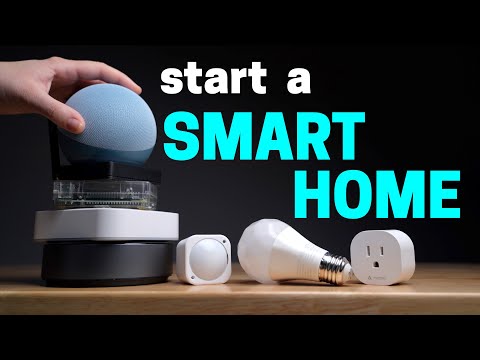
A successful smart home begins with a plan, not a shopping cart. Before buying a camera, lock, light, or sensor, decide which phones will control the home and who needs access. Google Home is a natural starting point for Android households, while Apple Home offers deep integration with iPhone, Apple Watch, HomePod, and Apple TV. Mixed-device homes should prioritize Matter products or brands that officially support both ecosystems.
Start with the network. Place your router where it can provide stable coverage to the front door, garage, and outdoor camera locations. Many smart-home products still use 2.4GHz Wi-Fi because it reaches farther than 5GHz. Keep the network name and password simple enough to enter during setup, update the router firmware, and create a separate guest or IoT network only if your router allows devices on it to communicate correctly with the chosen hub.
Choose one primary control platform even when products support several. Install Google Home on Android or Apple Home on iPhone, invite household members, create rooms, and use consistent device names such as Front Door Camera or Hallway Light. Clear names make voice commands, notifications, and troubleshooting much easier. Avoid adding every device to multiple assistants until the basic setup is stable.
Begin with one useful problem. A smart plug can turn off equipment at night, a contact sensor can warn when a door is left open, and a camera can monitor a delivery area. Test each product manually before creating an automation. Then add a simple routine with one trigger and one result. Complex automations are easier to build after every device has proven reliable on its own.
Finally, document the home. Save setup codes, recovery information, model numbers, and the account that owns each device. Enable two-factor authentication wherever available and review which household members can view cameras or unlock doors. The accompanying Smart Home Solver video explains goals, ecosystems, adding devices, controls, and automations, making it a useful visual foundation before expanding the system.
Source: www.youtube.com
Conversation
0 commentsNo comments yet. Start a useful conversation.